Account Engagement to Marketing Cloud Next: the migration checklist in build order
Each phase depends on the one before it. Work top to bottom, tick items off, and your progress stays in this browser. Select the 🛈 beside an item for more detail.
Isaac Cachero, marketing operations and revenue growth
Progress by phase
Select a phase to jump to it.
0%
CONTACT
Let's fix what's slowing
your pipeline down.
Tell me what's not working — leads, data, automation, reporting
or your CRM — and I'll tell you straight away if I can help.
Salesforce campaigns in Account Engagement: build the structure
Salesforce campaigns 🛈 are where your marketing results come together. When they follow a clear structure, every download, email and event reports into one place, and you can answer “what worked?” without a spreadsheet. In this post I show you how Salesforce campaigns work with Account Engagement, how to nest them and how to name them. By the end, you will be able to design a campaign tree your whole team can read.
By Isaac Cachero · Marketing operations and revenue growth consulting
What you’ll learn
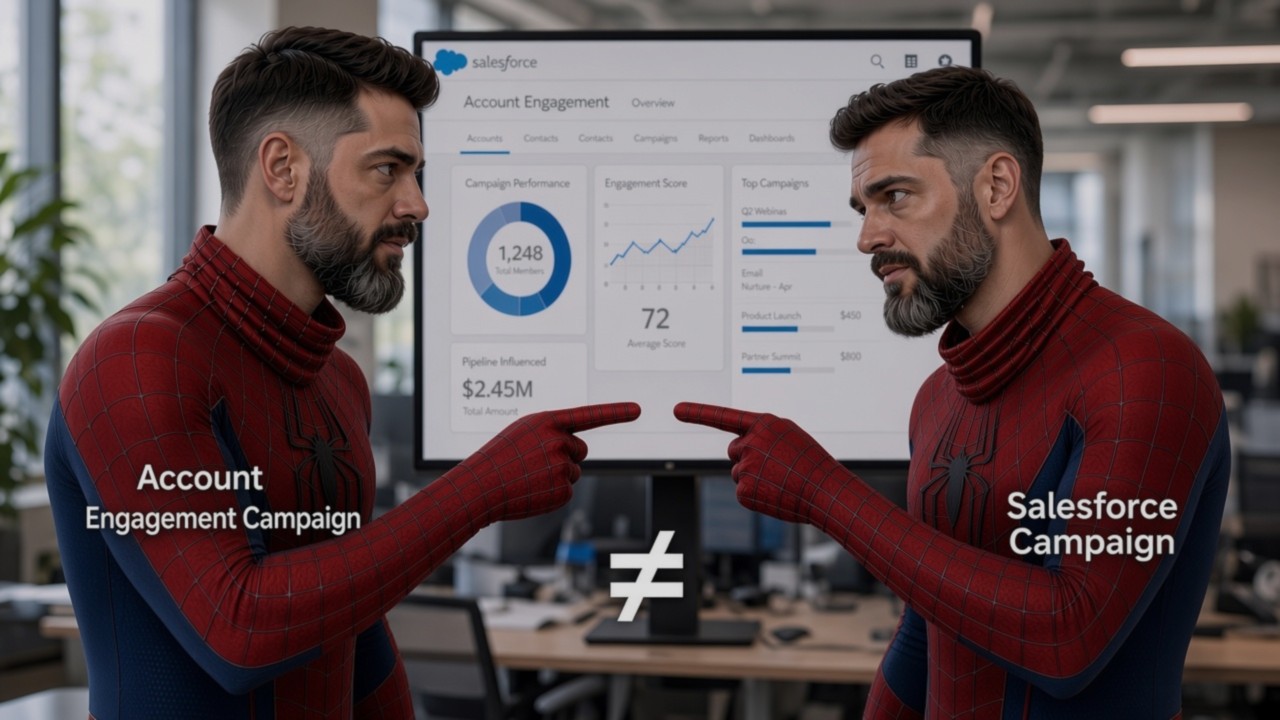
The difference between an Account Engagement campaign and a Salesforce campaign
Who can and cannot be a campaign member
How results roll up through a hierarchy
A five-level structure you can reuse
A naming pattern and statuses that keep reports readable
Two things called “campaign”
If you read the fundamentals post, you know the first one: an Account Engagement campaign 🛈 is the first-touch label on a prospect. A prospect has exactly one.
A Salesforce campaign 🛈 is different. It is a record that groups people and activity for one marketing initiative, and a person can be a member 🛈 of many. This post is about the second one.
Module 1
Which campaign is it?
Sort six statements into “Account Engagement campaign” or “Salesforce campaign”. All data is example data.
0 of 6 sorted
Common mistake
Using the word “campaign” for both in meetings.
How to avoid it
Say “Salesforce campaign” or “first-touch campaign” every time.
What a Salesforce campaign does
Think of campaigns as your memory. Emails and forms do the work. Campaigns remember what happened and who was involved. They let you report on the results of an initiative and its influence on sales.
Account Engagement connects to them. A form, a link or a program can add a person to a Salesforce campaign, so the activity is recorded without anyone doing it by hand.
Common mistake
Creating campaigns with the wrong record type. The record type controls the page layout, the picklist values and the business process a user sees when creating a campaign.
How to avoid it
Agree on the record type before anyone creates a campaign, and check it each time.
Who can be a campaign member
Account Engagement treats everyone as a prospect: anyone with at least an email address stored in it. A prospect starts as a raw prospect 🛈 that exists only in Account Engagement. It becomes a lead when it is assigned to a user or through Salesforce assignment rules, and sales can later convert the lead into a contact in Salesforce.
Salesforce campaigns hold Salesforce records. A raw prospect has none, so it will not appear as a campaign member.
Picture a team that imports a trade-show list and opens the campaign report. The campaign looks empty. Nothing is broken. Those people are raw prospects that haven’t been assigned or converted yet.
Module 2
Is it in the report?
Switch the record between its three states and watch the campaign report. All data is example data.
Common mistake
Expecting everyone you email to show up in campaign reports.
How to avoid it
Check how many of your target prospects exist in Salesforce before you rely on campaign reporting.
Nest campaigns like folders
Imagine the folders on your computer. A child campaign 🛈 is a folder inside its parent, and the parent’s properties count everything inside it. Salesforce campaigns work the same way, so results from every child roll up 🛈 into the parent.
Before
A flat list of campaigns and a spreadsheet to add them up.
After
One parent campaign whose totals already include every channel underneath it.
Nesting is how you get reporting for free.
Module 3
Watch the numbers roll up
Switch channels off and on. Every parent recalculates. All data is example data.
A person in two channels may be counted twice.
Common mistake
Making the tree deeper than you need.
How to avoid it
If a level does not help you report, remove it.
A five-level structure you can reuse
I teach five levels:
Business objective: the goal, for example growing existing customers.
Phase: the stage of the buying journey, such as Awareness or Consideration.
Asset: what you offer or run, such as an ebook.
Activity: what you do with that asset, such as promotion or follow-up.
Channel: how you reach people, such as email, website or trade media.
Keeping asset and activity apart pays off. The same asset often appears in more than one phase with a different activity each time. Your ebook is promoted in Awareness and followed up in Consideration. Two levels let you report on the ebook as a whole, and on promotion versus follow-up.
To build it:
Create the top-level campaign for the business objective.
Add one child per phase.
Add the asset under each phase where it is used.
Add one activity under each asset.
Add one channel campaign per route to your audience.
Five levels uses the full depth Salesforce allows, so check your org’s limit before you design.
Module 4
Build the tree
Step through one level at a time. All names are examples.
Common mistake
Building the tree differently for every project.
How to avoid it
Use the same five levels every time, so a new colleague can read any campaign.
Name campaigns so reports read themselves
A good name tells the story on its own. Use the same order and separators every time:
Grow Customers–Awareness–Ebook–Promotion–Email
Read left to right: objective, phase, asset, activity, channel. Anyone can filter on any part. Add the objective as a custom field as well, so you can group reports by it.
Module 5
Name builder
Pick each part and the name assembles itself. Then see which campaigns a filter would find. All names are examples.
Filter preview. Filter by:
Tip: change one dropdown and see which reports the name affects.
Common mistake
Everyone names campaigns in their own style, so filters break after a few months.
How to avoid it
Write the naming rule on one page and share it.
Choose statuses that match what you measure
A campaign status 🛈 describes where a member is. Choose them to fit the channel. Email might use received, opened, clicked. A website channel might use visited. A live event might use invited, registered, attended. Treat these as examples and define your own.
Statuses are small, but they are the difference between “40 people touched this” and “40 people touched this and 12 clicked.”
Module 6
Pick the statuses
Choose a channel to see example statuses and example counts.
Common mistake
Leaving every campaign on default statuses.
How to avoid it
Decide statuses when you create the channel campaign, not afterwards.
Recap and self-check
Tap a card to flip it, then check yourself with five quick questions.
Key takeaways
An Account Engagement campaign is a first-touch label. A Salesforce campaign is a record with many members.
Raw prospects have no Salesforce record, so they won’t appear as members.
Nest by objective, phase, asset, activity and channel so results roll up.
Name every campaign with the same pattern.
Choose statuses to match what you measure.
Next step: If you want your campaign structure reviewed, or your team trained to build it, book a 30-minute call. Tell me your goals and let’s map the way there.
Salesforce Account Engagement fundamentals: the dashboard, the navigation and the words that trip everyone up
Most Salesforce Account Engagement (formerly Pardot) confusion isn’t technical. It comes from vocabulary: a visitor 🛈 mistaken for a prospect 🛈, an Account Engagement campaign mistaken for a Salesforce campaign, a source 🛈 mistaken for a campaign. This is a plain read-through of the product, from the screen you land on to the terms your reports depend on.
By Isaac Cachero · Marketing operations and revenue growth consulting
What Account Engagement actually is
Account Engagement is Salesforce’s B2B marketing automation platform. Its job is to watch how people interact with your marketing (your website, your emails, your forms) and turn that behaviour into structured records the sales team can act on. Everything in the product serves one loop: attract someone, identify them, record what they did, and hand them over with context attached.
Because Account Engagement sits next to Salesforce rather than inside it, some objects exist in both places with similar names and different rules. Keeping those apart is most of the learning curve, which is why the terminology section below is the longest part of this page. Hover or tap any dashed word to see its definition without leaving the page.
Account Engagement dashboard
When you log into Account Engagement you land on the Dashboard, an overview of everything currently happening across marketing activity. It is deliberately shallow: a summary layer that points you towards the area that needs attention rather than a place you work in. Select a card to see what each part does.
Updates about new Account Engagement features and product announcements, surfaced the moment you log in. Worth scanning, because Salesforce ships changes to Account Engagement on its own release cadence and features occasionally move.
Shows scheduled emails, webinars, events and other marketing activities. Entries can be created manually with a title, start and end dates and times, a URL, an icon and a colour. That is useful for putting non-Account Engagement activity, such as a conference or a paid media burst, on the same timeline as your sends.
Example entries
Spring product webinar12 Mar · 15:00
Newsletter send14 Mar · 09:30
Paid social burst18 to 22 Mar
The pulse of the database: total prospects, newly created prospects, conversions and opportunities created. Read these together rather than individually. A rising total with flat conversions usually means list imports, not marketing performance.
Example numbers
18,420Total prospects
612New this month
148Conversions
37Opportunities
Account Engagement resolves visitor IP addresses into company names, so anonymous traffic still tells you something. It is directional intelligence, not identity: you learn that someone at a company visited, not who. Treat it as a prompt for outbound, not as a lead.
Example companies
Northwind Logistics14 page views
Harbor & Finch6 page views
Alder Health Group3 page views
Search, help and settings
Prospect search
Find prospects by name or email address. You can also search by company using syntax such as at [company], which is the fastest route into an account when you only know where someone works.
Help (?)
Contextual help and how-to information. The content changes with the section you are viewing, and support cases can be logged directly from here.
Settings (⚙)
Account information, account type and time zone, sending IPs and renewal information. Time zone matters more than it looks: it governs how scheduled sends and report date ranges are interpreted.
Usage and limits
Shows how much of your account’s resources are in use. This is the screen to check regularly, because the mailable database limit is the constraint most teams hit first, and it is easy to breach through an unplanned import.
My profile
Update your name, email and job title, control which Account Engagement email notifications you receive, and grant Support access to your account when troubleshooting.
Main navigation
The interface follows the Salesforce Lightning layout. Four areas run across the top, and each expands to reveal additional options.
Marketing holds marketing activities and assets: emails, forms, landing pages, automation and campaigns.
Prospects covers prospect and contact management, including lists, segmentation and prospect records.
Reports shows marketing performance and analytics across assets, campaigns and lifecycle.
Admin is for administration and configuration: users, connectors, tracking settings and account defaults.
Key terminology
Five words cause most of the confusion. Learn these and the rest of the product gets easier to read.
Visitor
Anonymous
Someone Account Engagement can see through their IP address but cannot yet identify. They browse the site without submitting a form or engaging with an email, and they stay a visitor until their activity is connected to a real person.
Prospect
Identified
Any individual in the Account Engagement database, uniquely identified by email address. A prospect maps to a Salesforce Lead or Contact. Visitor equals anonymous; prospect equals identified. The email address is the key, so two records with the same address are the same prospect.
Account Engagement campaign
First touch
The first tracked marketing touchpoint through which Account Engagement discovered the prospect. It answers where marketing first met someone and what drove acquisition and ROI. A prospect has exactly one first-touch Account Engagement campaign, unlike Salesforce Campaigns, which allow a prospect to be a member of many.
Source
How they arrived
How the prospect found or arrived at a particular interaction point. Campaign answers what the first touchpoint was; source answers how they got there. A single campaign can have many sources: organic search, paid social, a partner newsletter.
Conversion
Visitor to prospect
The moment a visitor becomes an identified prospect, typically by submitting an Account Engagement form for the first time. Anonymous visitor, then form plus email, then prospect. It is the clearest single measure of marketing generating new people rather than new traffic.
Visitor vs prospect, in detail
This is the distinction worth over-explaining, because nearly every reporting argument traces back to it. A visitor is a browser session tied to an IP address and a cookie. A prospect is a person tied to an email address. One is an observation; the other is a record.
The consequence is that visitor counts and prospect counts are not comparable and should never be divided into each other casually. Ten thousand visitors and two hundred prospects is not a two per cent conversion rate unless you are certain both numbers cover the same window and the same traffic. Visitors can also be duplicated across devices, while prospects deduplicate on email by design.
Try it
Turn a visitor into a prospect
Choose the pages this anonymous visitor browsed, then submit the form and watch the record change. All data here is an example.
The form on your website
The visitor has not identified themselves yet.
The biggest distinction is Visitor vs Prospect: a visitor is not yet identified, while a prospect is linked to an email address.
How tracking actually works
Account Engagement spots the visitor’s IP address, and the tracking code and cookies watch the activity. When that person later submits a form or clicks a link in an Account Engagement email, their previously anonymous browsing is stitched onto their email identity. That is why a new prospect often arrives with a history of pages they visited before you knew who they were.
Three practical implications follow.
Check coverage
Code on every page
Tracking code must be present on every page you care about, or the history simply doesn’t exist.
Consent risk
Consent can break the stitch
Cookie consent and browser restrictions can break the stitch, so some prospects will appear with no prior activity.
Data quality risk
Clicks identify people
Email link clicks identify people just as forms do, which is why sending to a purchased list is both a deliverability and a data-quality problem.
Folders and tags
Where it lives
Folders
A filing system for marketing assets: campaigns, emails, content and everything else. Structure now saves hours later, and folder permissions are how larger teams keep regions or business units out of each other’s assets.
What it is about
Tags
Small descriptive labels, much like hashtags. Use them to filter prospects and assets, organise information, and build segmentation and nurture strategies: Webinar, Enterprise, Product-A, High-Interest.
An asset lives in one folder but can carry many tags at once. Filter the example assets below by tag.
Recap table
Tap a card to flip it, then check yourself with five quick questions.
The flow to remember
Put everything together in one path. Step through it.
CONTACT
Let’s fix what’s slowing
your pipeline down.
Tell me what’s not working — leads, data, automation, reporting
or your CRM — and I’ll tell you straight away if I can help.
Marketing operations, rebuilt: connecting data, technology and teams into one growth engine.
Data quality, attribution, account-based marketing, market intelligence, lead nurturing, testing and sales alignment. Together they form the connected discipline that turns marketing technology into marketing results.
By Isaac Cachero · Marketing operations and revenue growth consulting
What B2B marketing operations actually is
At its simplest, marketing operations is the infrastructure behind modern marketing.
It makes sure information can move between systems, customer interactions can be tracked, leads can be managed, campaigns can be measured, and marketing and sales can work from the same information.
A typical B2B company may have a CRM 🛈, marketing automation platform, website analytics, advertising platforms, event tools, sales engagement software, customer databases, reporting systems, and many other applications.
Each system may work perfectly well on its own. The problem starts when those systems do not work well together.
Your tracking may know what a prospect downloaded. Your advertising platform knows which campaign brought them to the site. Your CRM knows what happened during the sales process. Your event system knows that the prospect attended a conference.
If that information remains separated, the business never gets a complete picture of the customer.
The goal of marketing operations is not to have more technology. It is to make the technology, data, and processes you already have work together.
Connecting the marketing technology stack
Modern marketing teams rely on many different technologies. The problem is not necessarily the number of systems. The problem is what happens when those systems operate independently.
Website analytics may capture one part of the customer journey while the CRM captures another. Advertising platforms collect campaign information, while marketing automation records email interactions and form submissions.
When those systems are connected, information collected in one place can become useful somewhere else.
Website activity can help inform lead qualification. Campaign information can be connected to opportunities. Sales teams can see relevant marketing activity, while marketers can understand what happens to leads after they are handed over.
This is why integrations, tracking, and a consistent understanding of customer data are such important parts of marketing operations.
Marketing technology has also moved through four stages, and each one adds a layer of connection. Select a card to see what each stage looks like.
Traditional marketing
Mass outreach
Print, TV and trade shows
Limited targeting
Hard to measure impact
The impact
Broad but untargeted reachResults hard to measureSpend hard to tie to revenue
Digital marketing
Email and content marketing
Websites and SEO
Lead generation forms
Basic analytics and reporting
The impact
Clicks and leads you can countReporting limited to activityLeads not linked to revenue
Data-driven marketing
Buyer segmentation
Marketing automation
CRM integration
Attribution and ROI
The impact
Messages that fit each segmentMarketing and sales share dataSpend linked to revenue
AI-powered and intelligent marketing
Predictive insights and forecasting
Hyper-personalization at scale
Real-time intent and behavior tracking
AI-driven content and campaign optimization
The impact
More relevant engagementHigher quality pipelineImproved ROI and efficiencyStronger customer relationships
Why data quality matters
Everything else depends on the quality of your data.
Incorrect contact information, duplicate records, outdated company information, inconsistent fields, and incomplete customer profiles can affect almost every part of marketing.
Poor data can lead to incorrect segmentation, poor personalization, inaccurate lead scoring, bad routing, unreliable reporting, and irrelevant communications.
Data quality should therefore not be treated as a one-time database cleanup. Companies change. People change jobs. Contact information becomes outdated. Businesses grow, merge, or close.
A good marketing operation continuously monitors and improves its data.
One practical approach is to improve data at the point where it enters your systems. Instead of asking prospects to provide information you can obtain elsewhere, you can keep forms simpler while enriching records with additional company and contact information behind the scenes.
The objective is not to collect as much information as possible. The objective is to collect the right information and keep it trustworthy.
Marketing attribution and revenue
One of the biggest challenges for B2B marketers is demonstrating the connection between marketing activity and business results.
Leads, clicks, downloads, and website traffic are useful measurements, but they do not necessarily tell you whether marketing is helping create revenue.
This is where marketing attribution 🛈 becomes important.
Consider a typical B2B buyer. They might first discover your company through an advertisement. Several weeks later, they read an article. Someone else from the same company attends a webinar. Months later, a salesperson gets involved.
Which interaction created the opportunity? The answer is usually not one interaction.
First-touch
First interaction
Gives all the credit to the first marketing interaction.
Last-touch
Last interaction
Gives all the credit to the interaction immediately before conversion.
Multi-touch
Whole journey
Provides a more realistic view by considering several interactions throughout the buying journey.
Try it
Who gets the credit?
Pick an attribution model to see how one opportunity credits three marketing interactions. All data here is an example.
Both first-touch and last-touch approaches can be useful for specific purposes, but neither tells the complete story.
If the buying journey involves multiple interactions, your measurement should reflect that journey.
Account-based marketing
B2B purchases are rarely made by one person.
One person may discover your company. Another may evaluate your product. Someone else may influence the decision, while an executive ultimately approves the purchase. Looking at each person independently can hide what is happening inside the organization.
Account-based marketing changes the perspective. Instead of asking only how many leads marketing generated, marketing and sales can ask which companies are engaging, who is involved, and what is happening inside those accounts.
This creates a stronger connection between marketing and sales and shifts attention toward opportunities, revenue, account growth, deal velocity, and other business outcomes.
Getting started does not have to begin with another software purchase. It starts with alignment.
Align marketing and sales.
Agree on the business goals.
Define the target accounts.
Understand the people involved in those accounts.
Create relevant marketing programs.
Give sales useful information about account activity.
Measure results through opportunities, revenue, deal velocity, and account growth.
Two different approaches lead to two very different outcomes. Compare them below.
Volume, then quality
Reach a wide audience, then sort through it to find the right ones.
Wide audience: attract as many prospects as possible.
Generate leads
Qualify leads
Sales follow-up
Customers
Broad reachHigh volumeLower lead precision
Quality, then volume
Flip the funnel. Focus on the right accounts first, engage deeply, and drive higher impact.
Target accounts: select high-value accounts that fit your ideal customer profile.
Research accounts: deeply understand their business, challenges, and stakeholders.
Personalized outreach: deliver relevant, tailored messages and experiences.
Multiple stakeholders: engage key decision makers across the organization.
Customers: build long-term relationships and expand account value.
PersonalizedFocusedAccount valueHigher precision
Focus-first works best when you have
A high ACV, so the deal size justifies strategic investment
Longer sales cycles that need nurturing and relationship-building
Multiple decision makers, with several stakeholders influencing the sale
A clear ideal customer profile, so you can identify the best-fit accounts
Market intelligence and buying signals
Knowing what a company looks like is useful. Knowing what is changing inside that company can be much more valuable.
Basic company information might tell you an organization’s industry, employee count, location, or revenue.
Market intelligence goes further by looking for signals that indicate a change in circumstances.
A company receives new funding.
The organization is growing rapidly.
A new executive joins.
The company changes its technology.
Website activity increases.
The organization begins investing in a particular area.
A competitor’s technology is replaced.
These events can provide context that a static database cannot.
The value comes from turning those signals into action. They can influence segmentation, campaigns, account prioritization, and sales outreach.
Call tracking and offline conversions
Modern marketing has become very good at measuring digital behavior.
We can see who clicked an advertisement, visited a landing page, downloaded a document, or opened an email.
But what happens when the prospect simply picks up the phone?
That interaction usually doesn’t appear in any marketing report, or it might not even be logged in the CRM to start with.
This is particularly important for mobile visitors. On a phone, calling a business can sometimes be easier than completing a long form.
A visitor who does not fill out a form has not necessarily failed to convert. They may simply have chosen a different path.
You cannot accurately measure a marketing channel if you only measure the part of the customer journey that is easiest to track.
Call tracking can connect inbound phone calls to the marketing activities that influenced them. This allows businesses to understand where calls came from, which campaigns influenced them, and whether those calls eventually became qualified opportunities or customers.
Lead management and nurturing
Most of your prospects aren’t ready to speak with sales. Some are actively looking for a solution. Others are researching a problem. Some are simply trying to understand what options are available.
Treating every prospect the same can create a poor experience. Marketing operations can help create different paths based on a combination of fit and behavior.
Someone who requests a demonstration may deserve a very different follow-up from someone who has only downloaded an introductory guide.
Effective nurturing is therefore not simply about sending more emails. It is about delivering the right information at the right stage of the buying process.
Experience optimization and testing
Marketing operations should not simply keep campaigns running. It should help the organization learn.
Consider a simple landing page problem. You are paying to send visitors to a page, but the conversion rate is lower than expected. You believe the problem may be that the advertisement and landing page communicate different messages.
Rather than redesigning everything based on an assumption, test the idea.
Create one version of the landing page with the existing messaging and another where the landing page reflects the message from the advertisement.
Then measure the difference. Don’t guess when you can test.
Test the headline.
Test the offer.
Test the landing page.
Test the timing.
Test the message.
Every useful experiment gives the marketing team more information about what works.
Marketing and sales alignment
Marketing operations also plays an important role in connecting marketing and sales.
Marketing may celebrate generating thousands of leads while sales complains that few of them are useful. Both teams may have a point.
The underlying problem is often that they are working from different definitions of success.
A strong marketing operation helps create shared definitions around what makes a lead qualified, what information sales needs, when a lead should be routed, how quickly sales should respond, what happens when a lead is rejected, and how opportunities and revenue are measured.
Where to start
If your marketing operation is complicated today, trying to fix everything at once is usually the wrong approach.
Start with the biggest problem affecting the business. Open the symptom that matches yours.
Sales does not trust the leads
Investigate lead quality and routing.
Reporting does not match what the business sees in the pipeline
Investigate attribution and data.
Campaigns regularly break
Investigate your processes and technology.
Personalization is unreliable
Investigate the underlying customer data.
Prospects are receiving irrelevant messages
Investigate segmentation and nurturing.
Solve the most important problem first, then use that improvement as the foundation for the next one.
A useful way to think about the full marketing operations function is as a set of connected capabilities. Here are just a few examples.
Data managementAccurate, complete and usable customer and prospect information
TechnologyConnecting marketing platforms and making information move between systems
AttributionConnecting marketing activity to opportunities and revenue
Account-based marketingFocusing marketing and sales on important target accounts
Market intelligenceUnderstanding external signals and changes that may indicate buying interest
Lead managementQualifying, nurturing and routing prospects appropriately
Call trackingConnecting phone conversions with marketing activity
OptimizationTesting and improving campaigns and customer experiences
Sales alignmentCreating shared goals, processes and definitions between marketing and sales
The bigger picture
The best B2B marketing operations teams are not simply the people who know how to configure marketing platforms.
They understand how marketing works as a business process.
They connect data to decisions. They connect marketing activity to sales outcomes. They connect technology to processes.
Most importantly, they connect the different parts of the customer journey so the business can understand what is happening and act on it.
The technology will continue to change. New platforms will appear, existing systems will evolve, and buyers will continue to change how they research and purchase.
The fundamentals remain remarkably consistent.
Keep your data trustworthy.
Connect your systems.
Understand your buyers.
Align marketing and sales.
Measure what matters to the business.
Track the entire customer journey.
Test what you can improve.
Build processes that make the operation easier to manage.
That is the real purpose of B2B marketing operations. It is not about having more tools. It is about building a marketing engine that works.
Self-check
Check yourself with five quick questions.
CONTACT
Let’s fix what’s slowing
your pipeline down.
Tell me what’s not working — leads, data, automation, reporting
or your CRM — and I’ll tell you straight away if I can help.
To provide the best experiences, I use technologies like cookies to store and/or access device information. Consenting to these technologies will allow me to process data such as browsing behavior or unique IDs on this site. Not consenting or withdrawing consent, may adversely affect certain features and functions.
Functional
Always active
The technical storage or access is strictly necessary for the legitimate purpose of enabling the use of a specific service explicitly requested by the subscriber or user, or for the sole purpose of carrying out the transmission of a communication over an electronic communications network.
Preferences
The technical storage or access is necessary for the legitimate purpose of storing preferences that are not requested by the subscriber or user.
Statistics
The technical storage or access that is used exclusively for statistical purposes.The technical storage or access that is used exclusively for anonymous statistical purposes. Without a subpoena, voluntary compliance on the part of your Internet Service Provider, or additional records from a third party, information stored or retrieved for this purpose alone cannot usually be used to identify you.
Marketing
The technical storage or access is required to create user profiles to send advertising, or to track the user on a website or across several websites for similar marketing purposes.